Just read all comments in this thread. For everybody having concerns like if I have the right version and so on:
There's currently 2 Sea of Thieves games in the Store (at least I see 2).
The first one is the pre-order version with in-game skins.
![]() imgur.com
imgur.com
 imgur.com

Discover the magic of the internet at Imgur, a community powered entertainment destination. Lift your spirits with funny jokes, trending memes, entertaining gifs, inspiring stories, viral videos, and so much more from users.
That's what I see as the first one in the list after searching for "Sea of Thieves". It has no options to purchase anymore. The released game is stated as "In this bundle" (this actual game is the second one in the list that the search field showed up).
Im downloading right now so I can't screen the buttons that were there. But I had options to buy the game or the second option was to get Xbox Game Pass. I was getting it thought the Xbox Game Pass. After I activated the Pass, the button was instead showing just Download.
![]() imgur.com
imgur.com

Discover the magic of the internet at Imgur, a community powered entertainment destination. Lift your spirits with funny jokes, trending memes, entertaining gifs, inspiring stories, viral videos, and so much more from users.
And for the versions of the game:
There's only one version of the game. The UWP app version (Universal Windows Platform) that runs both on Windows and Xbox. The "Play Anywhere" is their licence model that enables you to play it on both devices with just one purchase.
And for the Xbox Live:
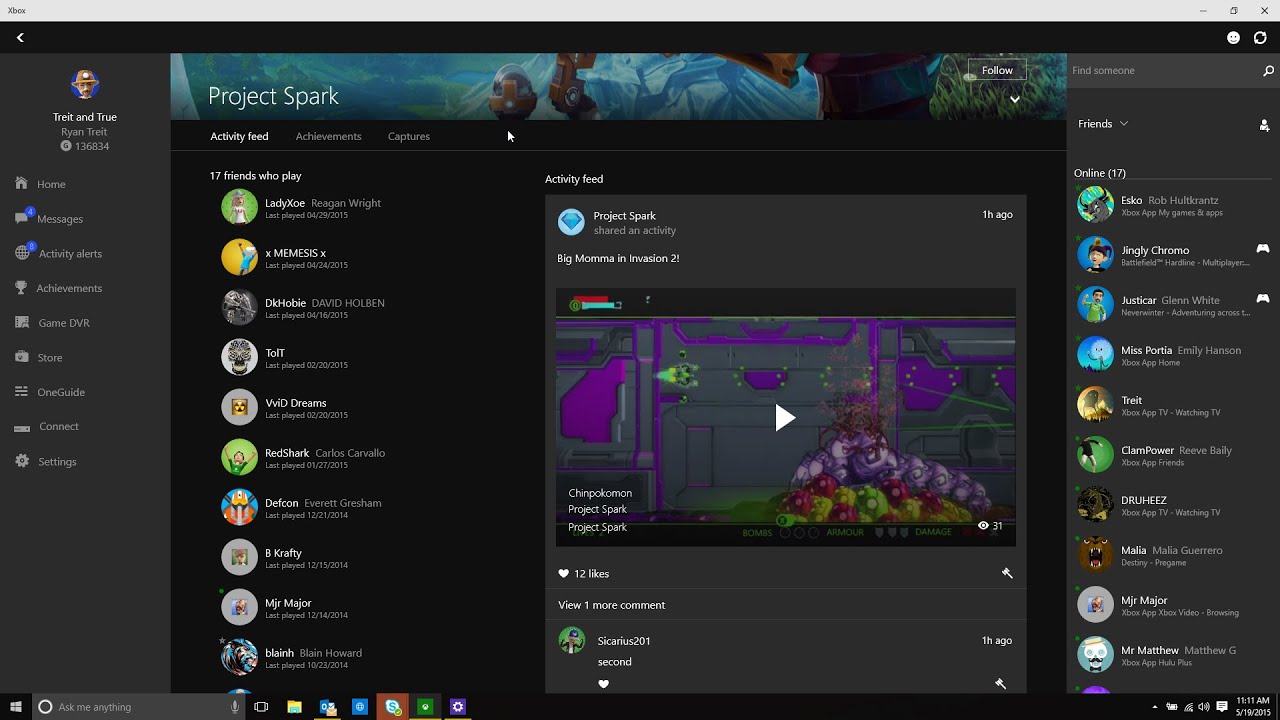
You login to the game with your Xbox Account. Windows 10 has Xbox app pre-installed. This app actually openes up Xbox interface where you can message with Xbox users, create party with them and so (Windows 10 users are also Xbox users with this). It looks something like this. You have to create your Xbox gamertag at first in this app so you'll stay connected to Xbox Live service to play the game (creation process will show up automatically the first time you open Xbox app).